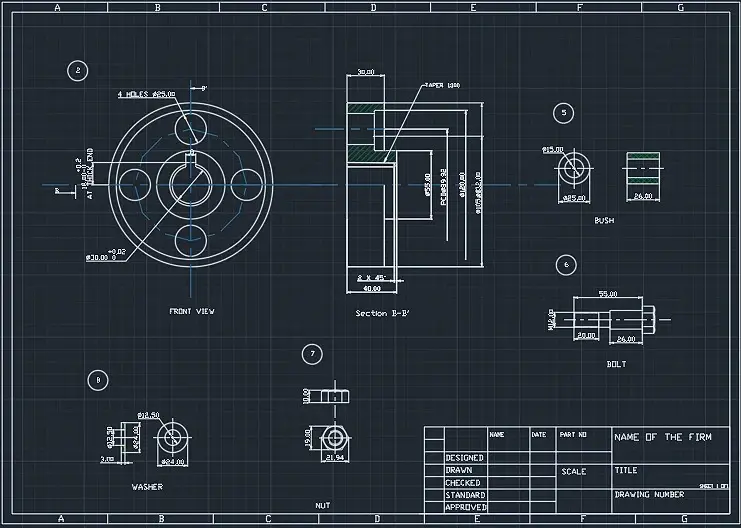
AutoCAD Layout allows designers to easily organize drawings, provide numerous views, add annotations, and create excellent 2D project sketches to ensure clear communication and documentation.
- Layouts enable you to put numerous views of the 2D model from Model Space, providing an overview from various viewpoints or design stages on a single page. This is especially useful for architectural or engineering tasks that need many perspectives, including top views, side elevations, or cross-sections.
- Designers can use a Layout to annotate drawings with text, dimensions, and symbols regardless of scale in the model space.
- Layouts enable the usage of predefined title blocks, borders, and corporate or project information. These elements assist preserve professional uniformity between drawings, while automatically aligning annotations and viewports based on project needs.
- AutoCAD Layout organizes various viewports and scaled layouts to guarantee that 2D sketches are suitable for printing or PDF output. Designers can lock viewport scales to display several model views at exact ratios on the same sheet, making the drawings ideal for regulatory submission, client presentation, or construction guidance.
- Layouts enable for fast changes without affecting the underlying 2D model. Designers can experiment with layout arrangement, sheet composition, and annotation placement, allowing for several iterations during the early stages of project development. Modifications may be shared across disciplines without having to recreate drawings, which increases productivity and collaboration.
Autocad Solidworks GD&T Reverse Engineering Parametric Equation